myPhonak
- 4.5
- Rating
- 1.00M
- Installs
- Free
- Price

 Analysis by App-foxy
When I first opened myPhonak, I expected a companion app that would mostly sit quietly on my phone after the initial setup. Instead, its strongest appeal appeared during the first week: it gives people using compatible Phonak hearing devices a more direct way to understand and adjust their everyday listening experience. That makes it different from a general hearing test app or a phone’s basic accessibility controls. It is a medical app from Sonova AG, and it is free, with an Everyone age rating, but its real usefulness depends on whether you already use the hearing hardware it is designed to support.
I would describe it as a control and tracking companion rather than a complete hearing-care replacement. The app brings hearing-related adjustments and health information into one place, which can make small daily decisions easier. In my experience, that matters most when listening conditions change quickly: a quiet kitchen in the morning, a busy café at lunch, and television at night may all call for a different approach. The question is not whether the app feels impressive on day one. The better question is whether it keeps earning a place on your phone once the novelty has gone.
What feels useful during the first week
The early value comes from reducing friction. Instead of treating hearing devices as something that can only be handled during an appointment, the app makes them feel more connected to ordinary routines. I found that especially helpful for someone who is still learning what different listening situations demand. A user can pay closer attention to how conversations, background noise, streaming audio, or quiet rooms feel, then use that experience to make more informed adjustments rather than guessing.
You May Also Like

 Pandora - Music & Podcasts
Pandora’s Music Is Easy to Start, but Harder to Recover
Pandora’s strength is its low-effort path from a seed to a station. Its weak spot is how much confidence it asks you to place in connection, setup, and quiet recovery.

 AccuWeather: Weather Radar
AccuWeather Review: A Quick, Clear Forecast for Everyday Decisions
For everyday plans, the best forecast is the one you can understand quickly. AccuWeather makes rain timing, radar, and local conditions easy to act on, with a few trade-offs.

 Hill Climb Racing
Why Hill Climb Racing Still Turns Crashes Into One More Run
A tiny car, a bumpy hill and one more upgrade: Hill Climb Racing keeps resurfacing because its simple chaos makes every near-miss feel personal.

 AliExpress - Shopping App
AliExpress Makes Global Shopping Feel Personal, but Shoppers Bear the Risk
AliExpress turns a global marketplace into a pocket-sized discovery engine. Its reach is useful, its shopping loop compelling, and its trade-offs easy to miss.

 Lords Mobile: Kingdom Wars
Lords Mobile Is a Kingdom-Building Routine, Not a Quick Match
A case-by-case verdict on the building, battles, device demands, and social commitments that make Lords Mobile rewarding for some players and exhausting for others.

 PDF Scanner app - TapScanner
TapScanner Makes Paperwork Easier to Capture, Check, and Share
TapScanner makes scanning with a phone feel less like a rescue operation and more like a dependable step in getting work done. Its capture tools are useful, though not flawless.
More From Our News Desk
View All News


That does not mean every new user will immediately understand every control. Hearing support is personal, and a setting that feels comfortable in a calm room may be less pleasant in a crowded one. I would not recommend changing several things at once during the first week. A better approach is to make one small adjustment, spend time listening, and remember what changed. This turns the app into a learning tool instead of a collection of sliders that invites constant experimentation.
The personalized angle is important. A hearing device can be technically capable while still feeling wrong for a particular person’s routine. The app gives that person a more active role in noticing patterns. Someone who struggles mainly in restaurants may use it differently from someone who relies on hearing support for meetings, family conversations, or audio from a phone. That flexibility is one reason I see more lasting value here than in a one-time hearing check.
There is also a practical emotional benefit. Many people hesitate to ask others to repeat themselves, even when they need help. Having a familiar control point on a phone can make the user feel less dependent on a companion or a specialist for every minor change. I would not confuse that convenience with clinical independence, but it can make daily hearing support feel more manageable.
A realistic day with the app
Imagine starting the day with a quiet breakfast, then moving to a bus where traffic noise competes with announcements. Later, you join a meeting and finish the evening watching television with family. The same hearing setup may not feel equally comfortable across all four situations. The useful workflow is not to chase a perfect setting every time. It is to notice the moments that repeatedly cause difficulty, use the app when a change is genuinely needed, and keep the adjustments simple enough to remember.
That habit can also improve conversations with a hearing-care professional. Rather than saying only that the devices “sometimes feel bad,” a user can describe when the difficulty appears and what kind of change helped. The app cannot replace professional fitting, but it can help turn vague frustration into a clearer account of everyday experience. That is a non-obvious strength: its value may appear later in a better conversation outside the app.
MyPhonak is available on iOS and Android, and its history as an app released on April 16, 2018, shows that it is not merely a brand-new novelty. The current version is 7.4.0, and the minimum operating-system requirement is Android 8.0. I would still check device compatibility before building a routine around it, because the app’s usefulness is tied to the hearing equipment and phone combination rather than to the app alone.
Who is likely to appreciate it quickly
I think it is a strong fit for people who already use compatible Phonak hearing devices and want more control between appointments. It is also well suited to users who move through varied sound environments and are willing to observe what works instead of expecting one automatic setting to solve every situation. Family members who help someone manage hearing technology may also find the shared language of “what happened in that environment” useful.
It is less compelling for someone who does not use compatible Phonak hardware, someone looking only for a basic hearing screening, or someone who wants a universal sound-enhancement app for any headphones. In those cases, a general accessibility feature or a dedicated hearing assessment service may be a better match. Installing it without the relevant hearing devices would not reveal its main value.
Why the value can survive beyond the first month
After the first month, the app’s appeal becomes less about discovery and more about consistency. Hearing needs are not identical from day to day, and a useful companion should help a person notice recurring situations rather than encourage endless tinkering. The health-data side is particularly relevant here. Tracking can make the app feel like part of a broader self-care routine, provided the user actually reviews the information and connects it to real experiences.
I would use the tracking features as prompts for reflection, not as a diagnosis. A record can help someone notice that fatigue follows long conversations, noisy venues, or days when hearing devices were used less consistently. It cannot explain every cause, and it should not be treated as a substitute for a clinician’s judgment. That distinction keeps the app useful without giving its data more authority than it deserves.
A good monthly routine might be very modest. Once a week, review the situations that were hardest, note whether a setting change helped, and decide whether the pattern is stable enough to discuss at the next appointment. This is more sustainable than opening the app repeatedly throughout the day. The recurring value comes from building a clearer picture of personal listening habits, not from collecting information for its own sake.
For a caregiver or family member, the month-to-month benefit can be different. The app may make it easier to support a relative without taking over every decision. A family member can encourage the user to describe a problem, help them remember what happened, and support a conversation with a professional. The user should remain in control, though; hearing support is personal, and too much outside adjustment can make the experience feel confusing or disempowering.
Where it compares well with usual alternatives
The usual alternative is to rely entirely on the hearing device’s default behavior and ask for changes during occasional appointments. That approach is simpler, and it may be perfectly adequate for someone whose listening environments are stable. MyPhonak is more useful when daily conditions vary and the user wants to participate in fine-tuning the experience between visits.
Another alternative is to use only the phone’s built-in hearing accessibility tools. Those controls can be helpful for general phone use, but they are not the same as a companion designed around Phonak hearing devices and related health information. The advantage here is specialization. The trade-off is that the app is not a universal solution: its usefulness narrows when the user changes hardware, uses another brand, or wants controls that apply equally to every audio device.
Compared with a standalone hearing test app, this one has a different purpose. A test may answer a limited question about hearing ability at a particular moment. MyPhonak is more about ongoing interaction with hearing support and everyday listening habits. If someone wants a quick screening, I would look elsewhere. If the person already has compatible devices and wants a continuing companion, this app makes more sense.
The app’s scale suggests that it has reached a broad audience, with over a million installs and a 4.5 average from around 112 thousand ratings. Those figures do not guarantee that every user will have a smooth experience, but they do make it easier to see the product as an established companion rather than an experiment. I pay more attention to fit than popularity, though: a widely used app can still be the wrong choice for a person without compatible equipment.
The maintenance habit that makes the difference
The main maintenance burden is not likely to be constant technical work; it is remembering to use the app deliberately. If you open it only when something feels wrong, you may miss the patterns that would make it more useful. If you open it every time you enter a new room, you may become tired of managing hearing instead of participating in life.
My practical advice is to create a light routine. Use the app when a listening problem is meaningful, record or review health information at a predictable interval, and leave successful settings alone. Keep a short note of situations that repeatedly cause trouble. That note can be more valuable than a long history of random adjustments because it preserves context: who was speaking, how noisy the room was, and whether fatigue appeared later.
There is also a maintenance question around expectations. Users may assume that an app update or a new setting will eliminate every difficult sound. Hearing technology still involves compromises. Improving speech clarity in one environment may not make all background noise comfortable, and personal preference can change with tiredness, stress, or the length of a conversation. The app is most helpful when treated as an aid for managing those compromises, not as a promise that they disappear.
Because it is a medical app, privacy and comfort with health-related information should be part of the decision. I would encourage anyone who is cautious about personal data to read the app’s current privacy and permission details before using tracking features. That is not a criticism unique to this product; it is simply sensible whenever an app handles information connected to health. The free price removes a financial barrier, but it does not remove the need to decide what information you are comfortable managing digitally.
What can become tiring over time
The first source of fatigue is adjustment overload. When a person is already concentrating hard to follow speech, asking them to manage several controls can feel like another task. The best long-term use is selective: change something only when the benefit is clear, and avoid turning every listening session into a technical test.
A second source is the gap between expectation and reality. The app can make hearing devices easier to interact with, but it cannot make all environments equally easy. A noisy restaurant may remain difficult. A long meeting may still be tiring. If the user expects the app to solve the underlying challenge, disappointment will arrive quickly. If the user sees it as one practical layer of support, the relationship is more realistic.
A third issue is dependence on the wider setup. The app is not valuable in isolation, and a phone problem, an incompatible device, or a change in hearing equipment can interrupt the routine. That is why I would not make it the only way to manage hearing support. Keep familiar basic controls and know how to seek professional help when a problem is persistent rather than temporary.
Some users may also find health tracking motivating at first and irrelevant later. That is normal. Not every feature deserves daily attention. If a particular record does not change a decision, reduce how often you check it. The lasting version of this app is not the one with the most activity; it is the one that supports a small number of useful habits without demanding constant attention.
My long-term verdict on keeping it installed
After the novelty fades, I think myPhonak earns its space for the right user: someone with compatible Phonak hearing devices who wants practical control, a clearer view of listening habits, and a way to prepare better conversations with hearing-care professionals. Its recurring value comes from context. It helps connect a setting, an environment, and a personal reaction, which is more useful than treating hearing support as a one-time setup.
I would not recommend it as a generic hearing app, a replacement for professional care, or a universal fix for difficult sound. People without the relevant hardware should skip it, and people who dislike tracking or frequent phone-based management may prefer a simpler arrangement. The app can also feel like extra work if the user changes controls constantly or expects perfect results in every environment.
For me, the deciding test is simple: does opening the app help you make a better listening decision, understand a recurring problem, or communicate more clearly about your hearing experience? If the answer is yes even occasionally, the free companion is easy to justify. If it only creates more settings to worry about, it may become digital clutter.
Its 4.5 average and around 6.6 thousand written reviews show that many people have taken the time to respond to it, while the Everyone rating keeps it approachable for a wide range of users. Still, ratings cannot replace a personal fit check. I would install it alongside compatible Phonak devices, spend the first week learning rather than endlessly adjusting, then keep only the tracking and control habits that genuinely reduce effort.
In the end, the lasting strength is not novelty but a manageable routine. Used sparingly and thoughtfully, myPhonak can make hearing support feel more personal and easier to discuss. Used as a constant stream of adjustments, it can add fatigue to an already demanding part of daily life. That balance is the real verdict: worthwhile for engaged Phonak users, unnecessary for everyone else, and most successful when it quietly supports better habits instead of asking to become the center of them.
FAQs for myPhonak
01What features does the myPhonak app offer for hearing aid users?
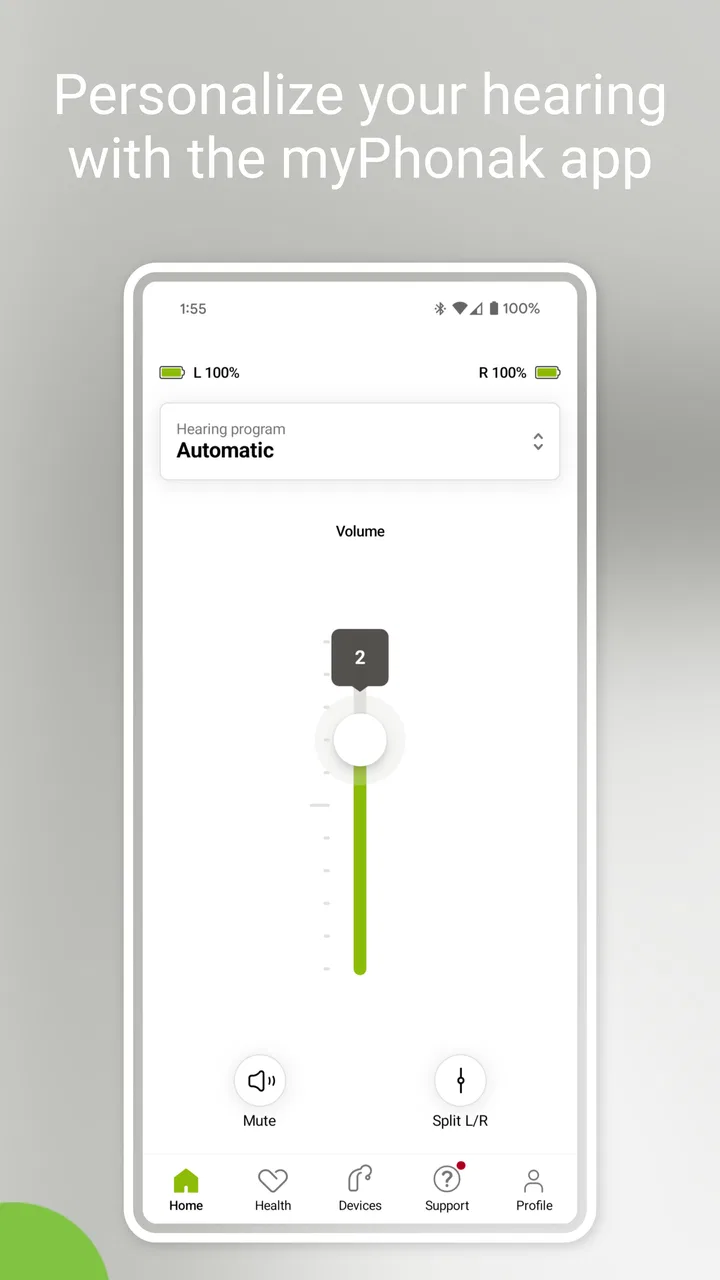
The myPhonak app provides a range of features designed to enhance the hearing experience for users. Key features include remote control of hearing aid settings, personalized programs, real-time hearing aid adjustments, and access to hearing care professionals through remote consultations. Additionally, it offers hearing aid status monitoring and firmware updates, ensuring users have the most up-to-date technology.
02Is myPhonak compatible with all hearing aids?
The myPhonak app is specifically designed to work with Phonak hearing aids. However, compatibility can vary depending on the model and version of the hearing aid. It is recommended to check the app's compatibility list or consult with a hearing care professional to ensure your specific hearing aid model is supported before downloading the app.
03How does the remote support feature work in the myPhonak app?
The remote support feature in the myPhonak app allows users to connect with their hearing care professional for real-time assistance. Through a secure video call within the app, professionals can make remote adjustments to the hearing aids, provide technical support, and offer personalized advice, making it convenient for users to receive help without visiting a clinic.
04Is the myPhonak app user-friendly for elderly users?
The myPhonak app is designed with ease of use in mind, making it accessible for users of all ages, including the elderly. The interface is intuitive with clear instructions and large icons. However, users new to smartphone technology might require some initial guidance, which can be provided by family members or hearing care professionals.
05Are there any costs associated with using the myPhonak app?
The myPhonak app itself is free to download and use. However, users should be aware that some features, like remote consultations, may require appointments with a hearing care professional, which could incur charges depending on their service provider. Always check with your provider for detailed information on potential costs.
Pros
- Customizable hearing settings.
- User-friendly interface design.
- Real-time sound adjustments.
- Bluetooth connectivity for calls.
- Battery status notifications.
Cons
- Limited compatibility with devices.
- Occasional Bluetooth disconnections.
- High battery consumption.
- App updates can be slow.
- Requires active internet connection.

myPhonak
Gallery